Wouldn’t it be helpful to
check milling progress
from your smartphone?

Monitor milling progress in real time from your smartphone or even from a PC without VPanel installed. No more waiting beside the machine or making repeated trips to check on the job status.
Create a Free DGSHAPE Account.
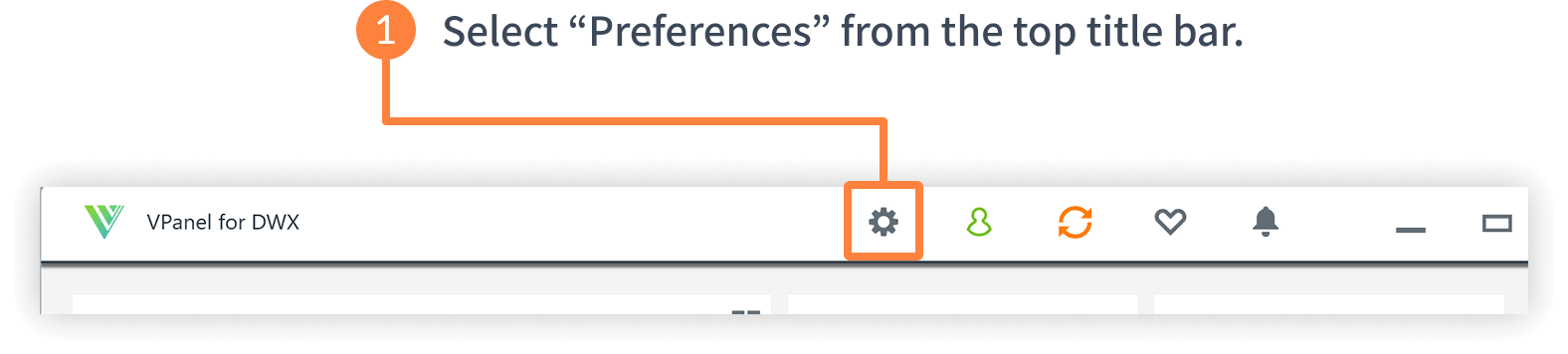
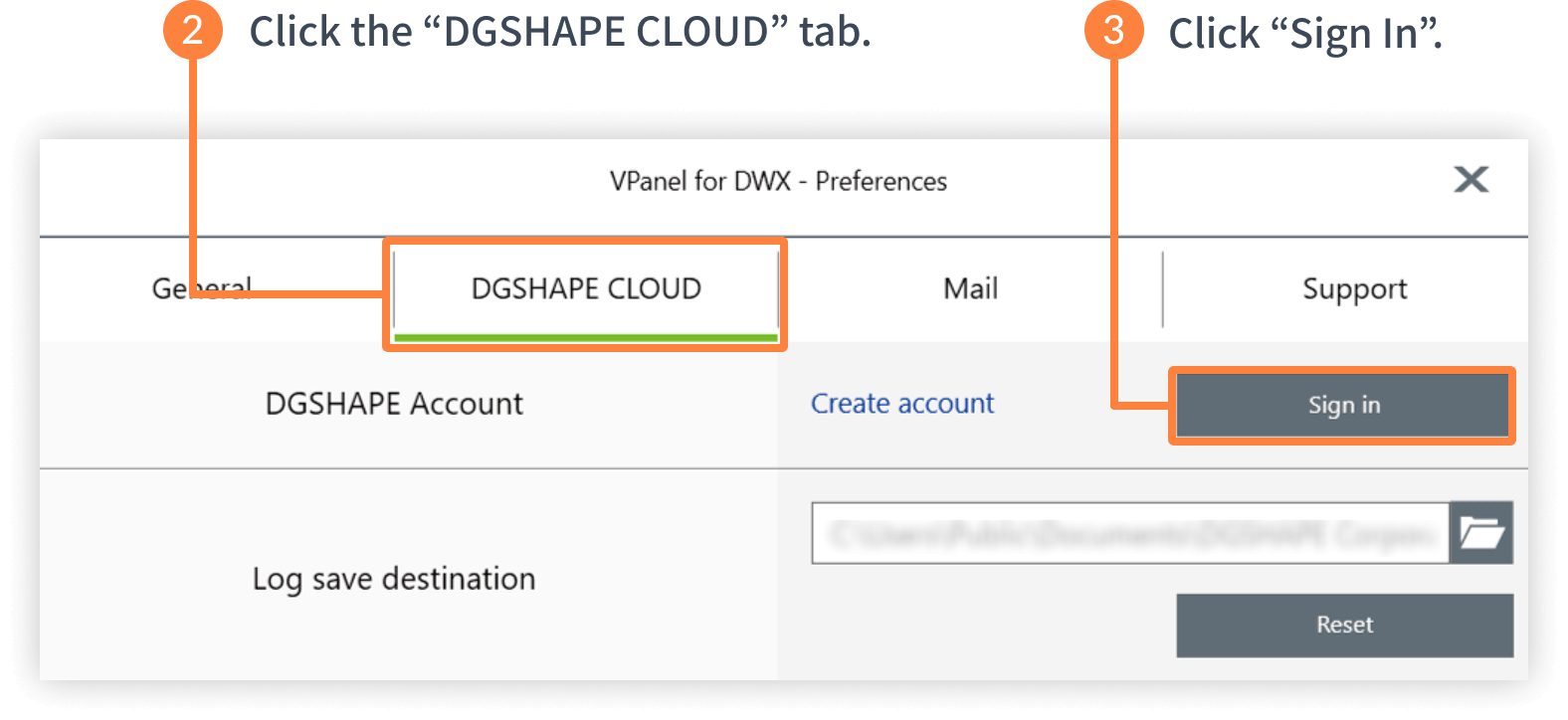
Sign In via VPanel.
Get Started Right Away.
-
STEP 1
Create account
-
STEP 2
Sign in via VPanel

-
STEP 3
Monitor Job Progress with DGSHAPE Insights
You can check the progress of your jobs by opening the Dashboard
page and tapping (or clicking) the panel for the target DWX machine.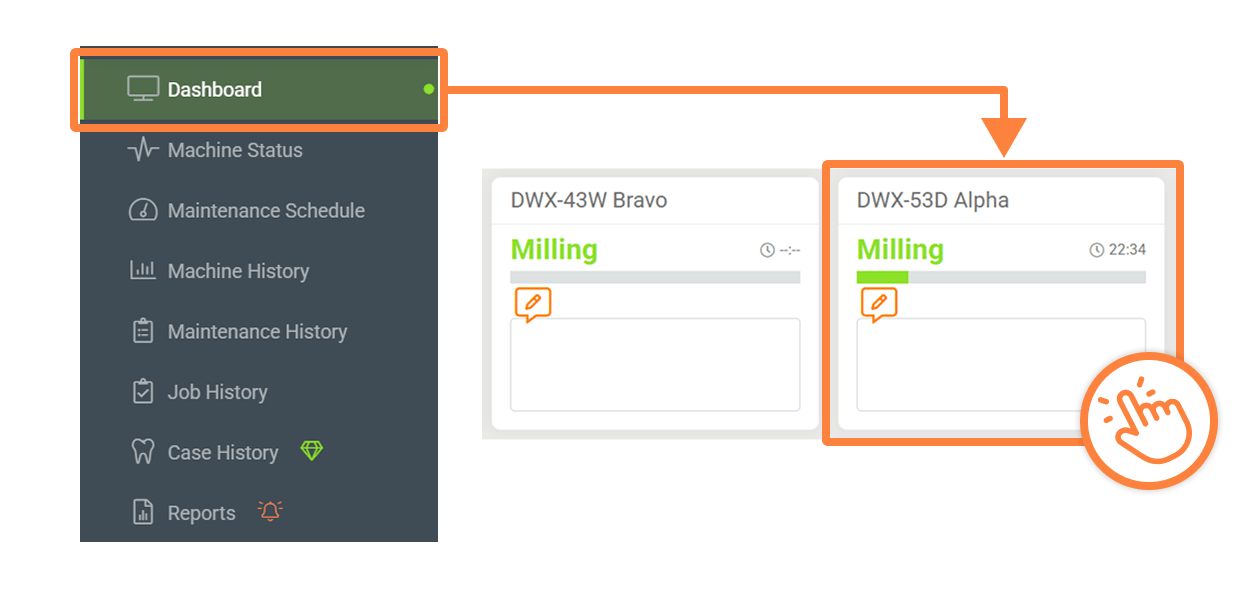
In addition, many other free features are available to help you get the most out of your DWX machines. We encourage you to give them a try!


