Want to See Next Collet Tightening Date in One Place?

By simply setting your DWX target operating hours and company holidays, the next recommended maintenance date is automatically calculated and displayed based on the last maintenance performed.
With access from any smartphone or PC, you can easily keep track of the maintenance status of all your DWX machines, reducing the risk of overdue maintenance and improving operational efficiency.
Create a Free DGSHAPE Account.
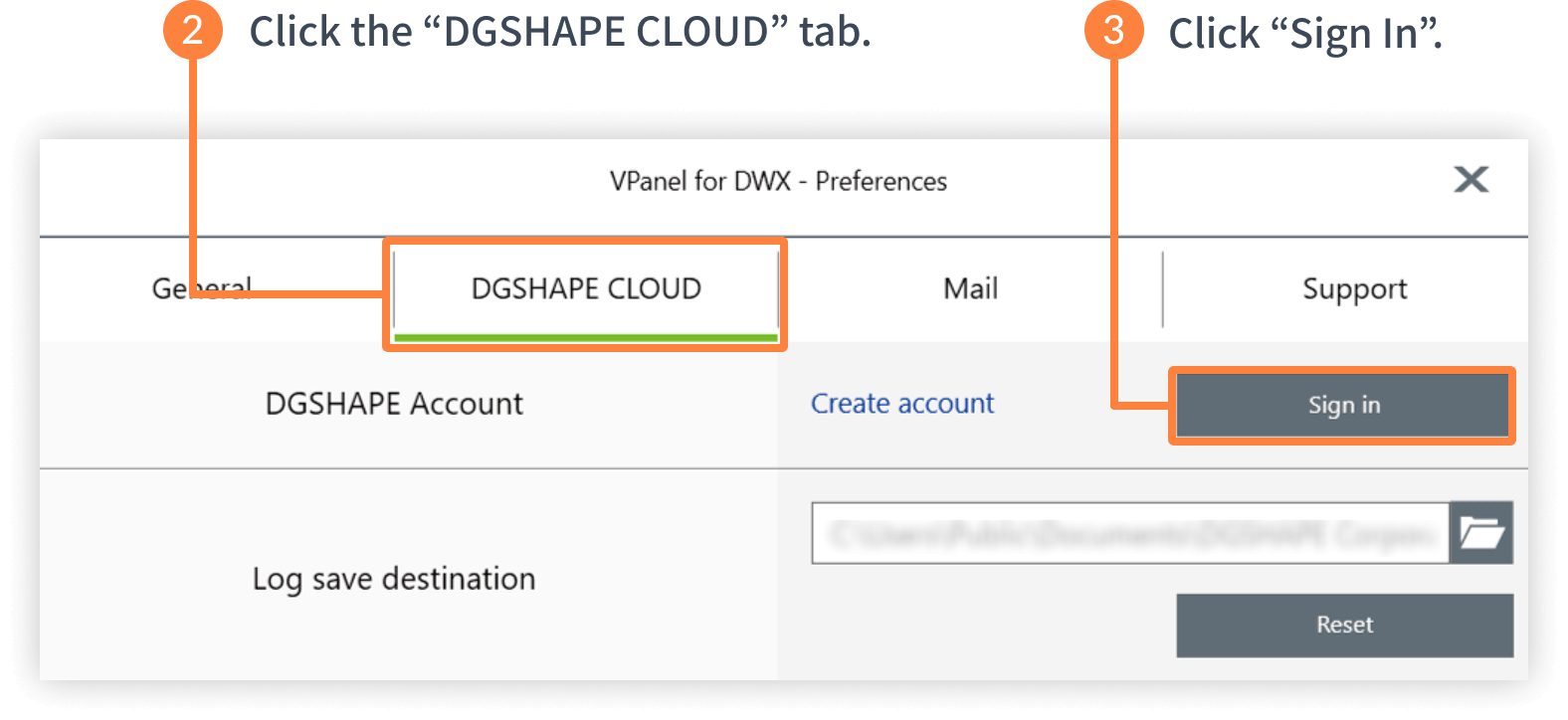
Sign In via VPanel.
Get Started Right Away.
-
STEP 1
Create account
-
STEP 2
Sign in via VPanel


-
STEP 3
Manage Maintenance with DGSHAPE Insights
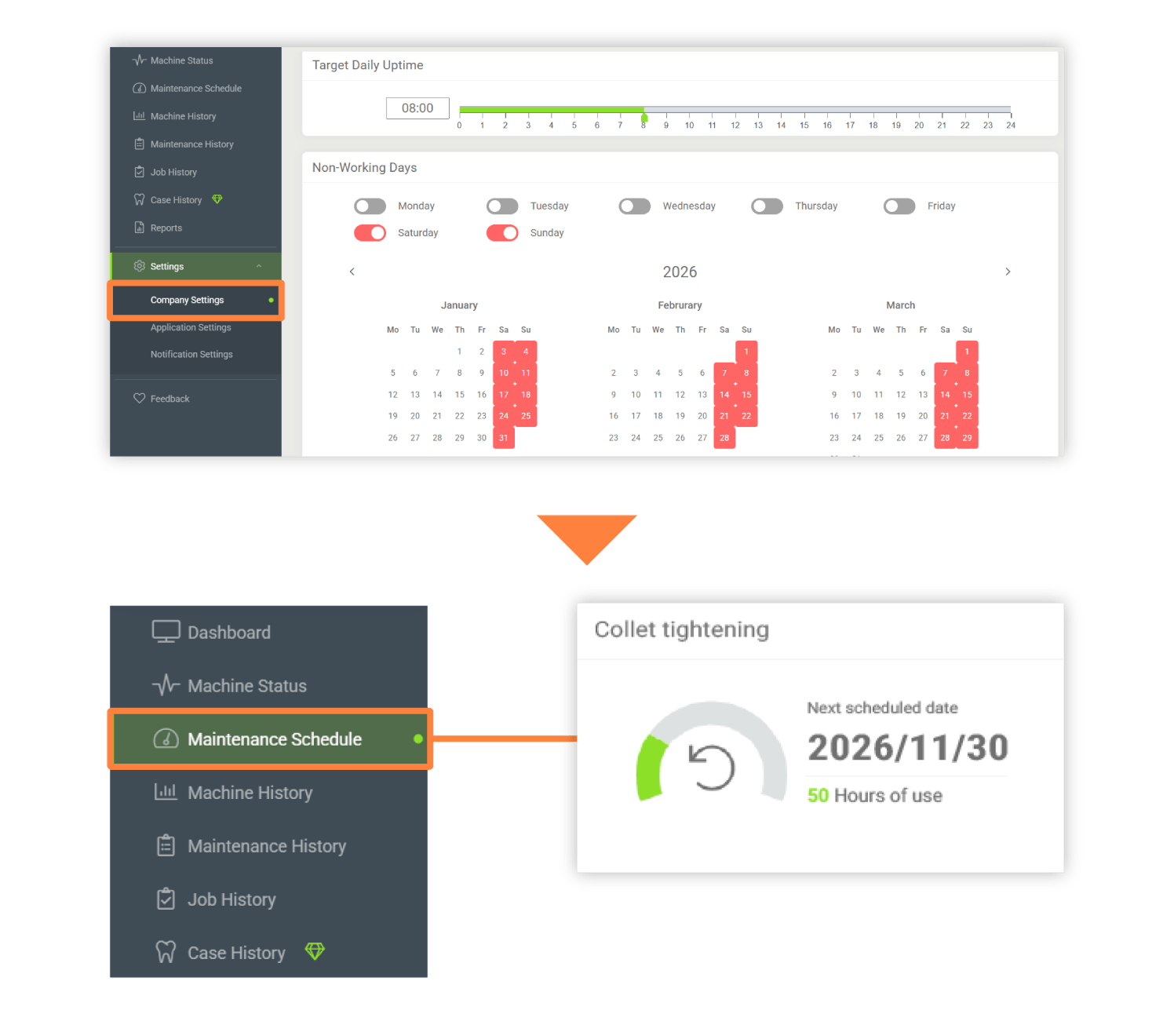
By setting your DWX target operating hours and company holidays on the Company Settings page, the next scheduled maintenance date will be automatically calculated and displayed on the Maintenance Schedule page.
In addition, many other free features are available to help you get the most out of your DWX machines. We encourage you to give them a try!


