Want to See Your Cleaning History and
Next Cleaning Schedule in One Place?

Cleaning activities are automatically recorded, allowing you to quickly see when the next recommended cleaning is approaching based on machine operating hours since the last cleaning. You can check the cleaning status of all your DWX machines anytime from a smartphone or PC, helping prevent missed cleaning tasks and enabling more efficient machine management.
Create a Free DGSHAPE Account.
Sign In via VPanel.
Get Started Right Away.
-
STEP 1
Create account
-
STEP 2
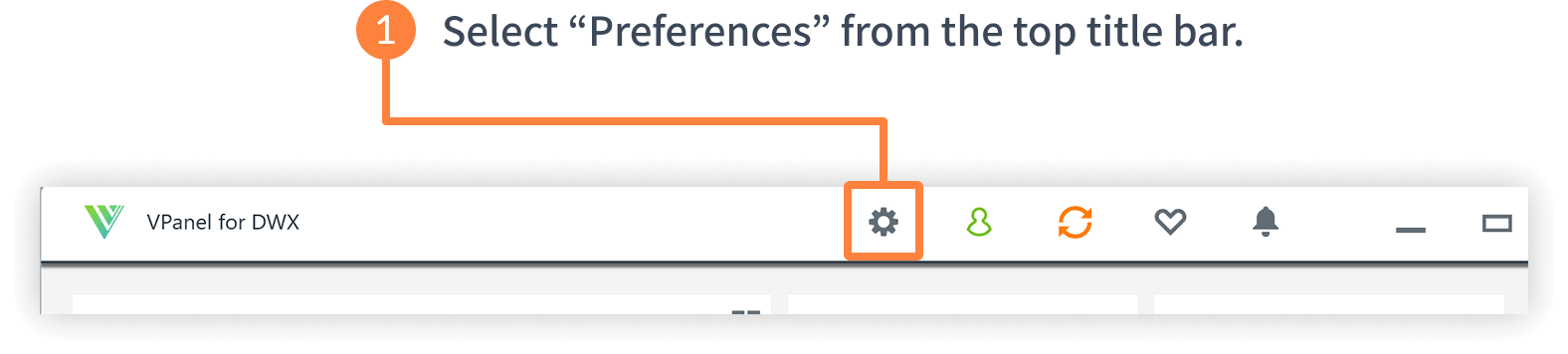
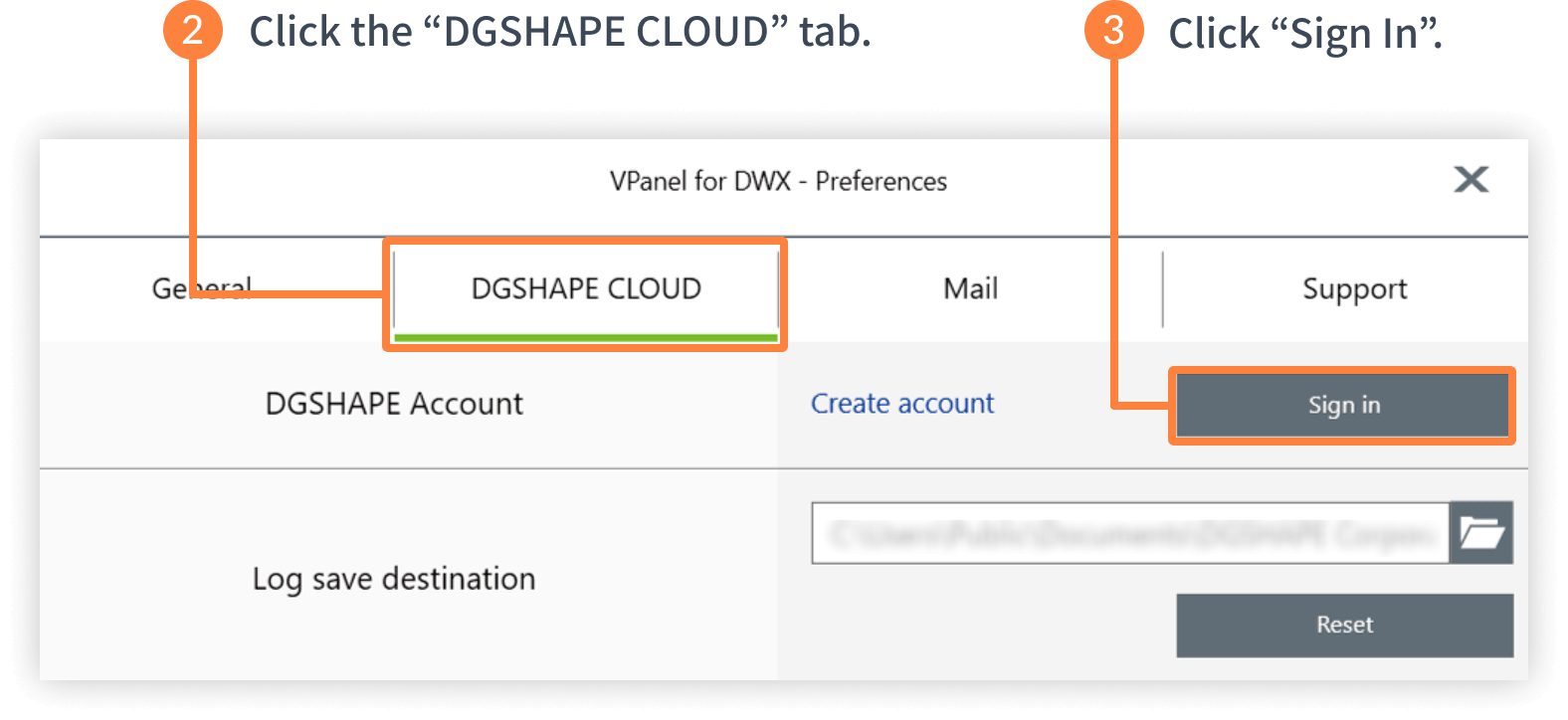
Sign in via VPanel

-
STEP 3
Manage Cleaning Operations with DGSHAPE Insights
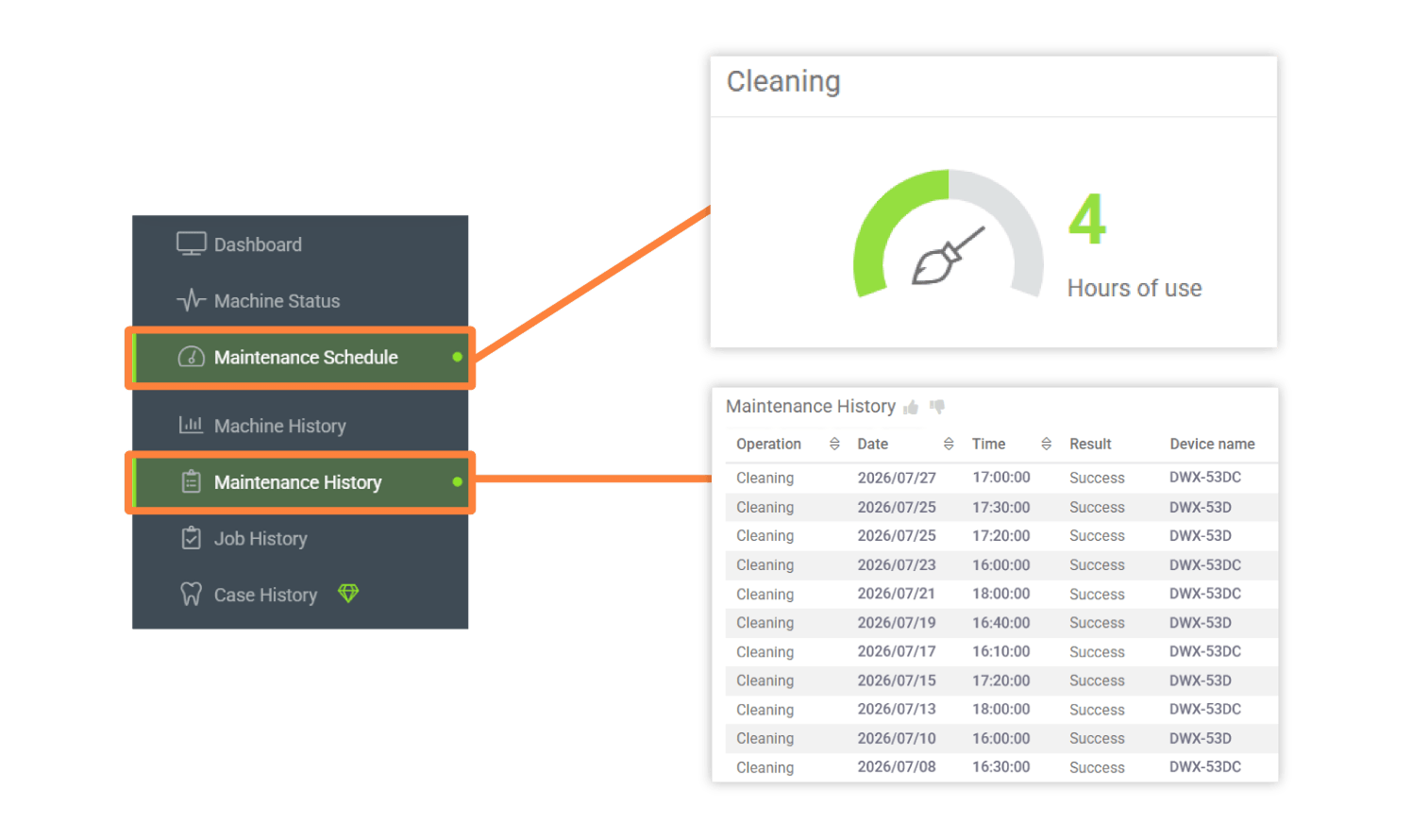
You can view your cleaning history on the Maintenance History page and check the next recommended cleaning timing on the Maintenance Schedule page.
In addition, many other free features are available to help you get the most out of your DWX machines. We encourage you to give them a try!


